

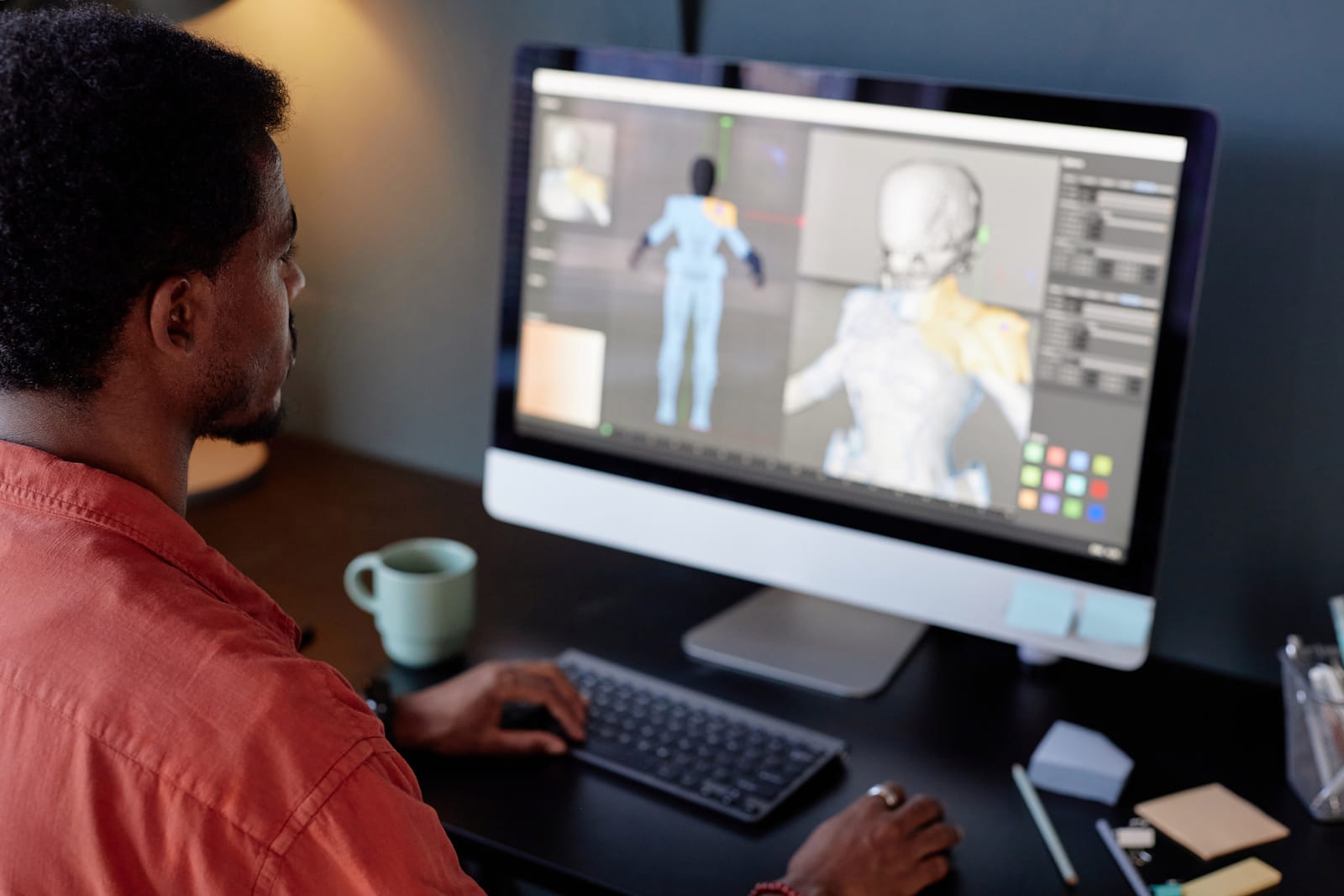
What Happens During 3D Animation Production? An Explanation
3D animation production turns an initial idea into a moving visual created within a three-dimensional computer-generated environment. The process involves far more than making an object move on screen. Artists and production specialists must plan the message, build digital assets, prepare them for movement, animate each scene and convert the completed work into viewable video. Every stage affects the quality and clarity of the final result.
Understanding this workflow helps clients provide better information, review work at the right times and avoid unnecessary revisions. It also explains why careful planning matters just as much as technical execution.
3D Animation Production Begins With a Clear Brief
Every project should begin with a detailed briefing process. The animation team needs to understand what the video must communicate, who will watch it and where the finished content will appear. A product demonstration for engineers may require precise technical detail, while a promotional animation may place more emphasis on benefits, visual appeal and brand recognition. The intended platform, video length and viewer knowledge also influence how the team approaches the project.
During this part of 3D animation production, the client should provide as much accurate source material as possible. Useful materials can include product photographs, technical drawings, engineering documents, brand guidelines, existing videos and written explanations. South African businesses commissioning industrial or technical content should also identify any local terminology, operating conditions or safety requirements that the animation must reflect.
Developing the Script and Storyboard
A script turns the original brief into a structured narrative. It determines what viewers will hear, what information each scene must communicate and how the story will progress. Even an animation without voice-over needs a clear visual script. Without this structure, a production can become visually impressive but difficult to understand. Technical specialists should review the script early to confirm that it explains the product, process or procedure accurately.
The storyboard converts the script into a sequence of rough visual panels. These panels can show the main action, camera framing, transitions, labels and product details required in each shot. Storyboarding allows the production team and client to assess the complete idea before detailed asset creation begins. It is much easier to replace a storyboard panel than to rebuild and render a finished scene.
Creating an Animatic and Planning the Timing
An animatic combines storyboard images or simplified digital scenes into a rough moving sequence. It establishes the approximate duration of each shot and shows how the full animation will flow. Temporary narration, basic sound and placeholder text may also be included. The result will not have the polished appearance of the final video, but it should communicate its structure, pacing and main camera choices.
The animatic represents one of the most important approval stages in 3D animation production. Clients should check whether each shot communicates the correct information, whether viewers have enough time to understand technical details and whether the camera reveals the right product features. Changes to timing or composition remain relatively manageable here. The same changes become more demanding after detailed animation and rendering.
An effective animatic allows the production team and client to assess several important elements:
- The overall length and pace of the animation
- The amount of time allocated to each message
- The order in which information appears
- The direction and speed of camera movements
- The position of products, characters and technical components
- The placement of temporary narration, labels and graphics
- The clarity of transitions between different scenes
- The moments that require additional visual explanation
Reviewers should concentrate on structure and communication rather than surface quality at this stage. Simplified objects, basic lighting and unfinished movement are normal because the animatic exists to test the underlying plan. The most important question is whether a new viewer could follow the information without becoming confused or missing an essential product feature.
Careful animatic approval gives every department a dependable reference for later work. Modellers understand which surfaces the camera will show, animators know how long each movement should take and editors can anticipate the final sequence. This shared direction reduces uncertainty and prevents teams from investing time in scenes that may later need to be removed or substantially changed.
3D Animation Production Builds the Digital Assets
Modelling creates the three-dimensional forms used in the video. These assets may include products, machinery, characters, buildings, props and complete environments. Artists can construct models from technical references or create them from the ground up. A simple external product shape requires less work than a detailed machine containing numerous moving internal components. The required viewing distance also matters because close-up shots need more surface detail.
Accurate technical information can make 3D animation production considerably more efficient. Well-organised design files and measurements give artists a reliable starting point, particularly for industrial, medical, mining, manufacturing and engineering projects. Artists may still need to simplify extremely detailed components, remove unnecessary information or rebuild certain surfaces so that the model works efficiently in animation.
Adding Textures, Materials and Lighting
A completed model initially consists of digital geometry without a convincing surface appearance. Texturing and material development define how that surface should look and react to light. Artists can represent properties such as brushed metal, transparent glass, painted steel, rubber, fabric or plastic. They may also add labels, warning signs, product markings and branded elements where the project requires them.
Lighting establishes visibility, mood and visual emphasis. A clean product animation may use controlled lighting that clearly defines its shape, while an industrial scene may need a believable working environment. Effective lighting directs attention towards important actions and helps separate the subject from its surroundings. It should support the message rather than adding visual complexity that distracts the viewer.
Artists consider several connected details when developing the appearance of a scene:
- The colour and finish of every visible surface
- The level of reflection, transparency or roughness
- The placement of labels, logos and safety markings
- The effect of wear, dust or imperfections where appropriate
- The direction, strength and colour of virtual lighting
- The separation between the subject and its background
- The visibility of important controls and moving components
- The consistency of materials across different shots
Material choices must match both the real subject and the communication goal. A technically accurate metal finish should remain easy to read under the selected lighting. Highly reflective surfaces may look attractive, but they can hide important shapes or create distracting highlights. Artists must therefore balance realism with the need to present information clearly.
Lighting also guides the viewer through a scene. Brighter areas can draw attention towards an important mechanism, while controlled shadows help communicate depth and scale. Before final rendering, the team can test representative frames to confirm that materials, colours and lighting remain consistent with the approved visual direction.
Preparing Models With Rigging and Skinning
A digital model cannot automatically bend, rotate or perform an action. Rigging adds an underlying control system that allows the animator to manipulate it. A character rig may include controls for the spine, limbs, hands, face and eyes. A mechanical rig could control gears, pistons, doors, conveyor parts or robotic joints. Rigging must reflect how the real subject moves so that later animation remains believable.
When characters or flexible objects appear in 3D animation production, skinning connects the visible model to its internal rig. This process controls how the surface changes shape as the skeleton moves. Poor skinning can cause unnatural bending, collapsing joints or distorted surfaces. Careful preparation allows limbs, facial features and flexible materials to move smoothly while retaining the intended form.
3D Animation Production Creates Movement and Performance
Animation begins once the team has suitable models, controls and scene plans. Animators create key poses at selected moments, known as keyframes. The computer can calculate intermediate positions, but the animator must decide how the movement should behave. They refine timing, spacing, acceleration, balance and movement paths until the action communicates the intended weight, speed and purpose.
Good 3D animation production involves more than moving an asset between two locations. A machine must follow a logical operating sequence, liquids must flow in the correct direction and characters must appear to respond naturally to their environment. Animators may study real movement or technical references before creating a simplified or stylised version that makes the underlying process easier for viewers to understand.
Adding Camera Movement and Visual Effects
A virtual camera determines what the audience sees and how information unfolds. Animators can move around a product, enter a machine, reveal a cross-section or follow a component through an invisible process. However, movement should always serve a clear purpose. Excessive rotation and rapid camera changes can make technical content harder to follow, particularly when viewers need time to identify individual parts.
Visual effects can represent elements that would be difficult to animate manually, including smoke, dust, sparks, fluids, heat or flowing particles. They can also visualise information that cameras cannot capture in real life, such as airflow, pressure, energy transfer or internal chemical movement. These effects should clarify the subject and remain consistent with the level of realism established throughout the animation.
Camera and effects planning can include:
- Wide views that establish the product or environment
- Close-up shots that reveal controls and internal components
- Tracking movements that follow a product or process
- Cross-sectional views that expose hidden mechanisms
- Exploded views that separate connected parts
- Slow movement that gives viewers time to study technical details
- Simulated smoke, liquids, sparks, dust or airflow
- Graphic overlays that identify stages, directions or measurements
Each camera change should answer a communication need. A close-up might reveal how two components connect, while an internal view could show a process that no physical camera could record. Maintaining a clear screen direction and a logical sequence helps viewers understand how the different views relate to one another.
Visual effects require similar restraint. Their purpose is not merely to make a scene look dramatic. They should illustrate behaviour, direction or cause and effect that would otherwise remain invisible. When camera work and effects support the same explanation, they can make a difficult engineering, medical or safety concept far easier to understand.
Rendering Turns the Scene Into Finished Images
Rendering converts digital models, animation, materials, effects and lighting into the image frames that viewers ultimately see. The computer calculates each frame individually, including how light interacts with the scene. Longer videos, detailed assets, complex effects and high-resolution output all increase the amount of processing required. Production teams often test short sections first to identify technical or visual problems before processing the complete sequence.
Rendering is a demanding stage of 3D animation production, which makes earlier approvals particularly important. A late change to a camera angle, product movement or material may affect hundreds of frames. Reviewing models, animatics and test images carefully allows the team to find problems before final processing begins. Clients should appoint the appropriate technical and marketing decision-makers early so that feedback remains accurate and coordinated.
Compositing, Sound and Final Editing
Compositing combines the rendered elements into complete shots. Artists may adjust colour, contrast, depth, atmosphere and motion blur while integrating backgrounds, shadows and effects. They can also add labels, diagrams and graphic overlays that explain what is happening. This stage improves consistency between shots and ensures that supporting elements feel like part of the same visual world.
Final editing arranges the completed shots and adds narration, music and sound effects where appropriate. Sound can reinforce mechanical movement, highlight transitions and make actions feel more convincing. The team also checks pacing, spelling, brand consistency and technical accuracy before exporting the required formats. Businesses may request different versions for websites, presentations, exhibitions, staff training or sales teams.
Making the Review Process More Effective
Clients can improve the outcome by assigning clear reviewers and matching feedback to each production stage. Technical specialists should confirm accuracy, while marketing or communication teams should assess clarity, tone and brand presentation. Combining feedback into one organised response prevents contradictory instructions and helps the animation team understand which changes have received final approval.
The most useful approach is to review structure during scripting, composition during storyboarding, timing during the animatic and visual quality during rendering tests. Treating every preview as if it were already the final video can lead reviewers to focus on unfinished details. A structured review process keeps 3D animation production moving while protecting both creative quality and technical accuracy.
A practical review process should include:
- Selecting one person to combine and submit feedback
- Involving technical specialists when checking factual accuracy
- Asking marketing teams to assess clarity and brand consistency
- Reviewing the script before approving detailed visual work
- Checking composition and content during storyboarding
- Assessing camera movement and pacing during the animatic
- Reviewing materials and lighting through representative test frames
- Confirming final wording, labels and audio before delivery
Every reviewer should understand what the current production stage aims to establish. Comments about unfinished textures during an early animatic review may distract from more urgent questions about timing and structure. Clear review criteria help stakeholders focus on decisions that can still be changed efficiently.
Clients should also collect comments internally before sending them to the production team. A single consolidated response reduces duplication and exposes disagreements before they affect production. Recording approvals at major milestones creates a clear reference for everyone and helps prevent previously settled decisions from returning during later stages.
What Does Sound Idea Video Production Offer for 3D Animation?
At Sound Idea Video Production, we provide end-to-end 3D animation services that cover the process from concept and modelling through to animation and final delivery. We create product visualisations and exploded views that reveal internal parts and assembly processes from different angles. We recreate accidents for health and safety training without the risk of live reenactments, and we produce architectural walkthroughs that help audiences explore buildings, sight lines, materials and lighting before construction begins. We also create character animation for training, induction and narrative content, from simple avatars to more complex figures.
Our services extend to mechanical and engineering animation that explains how complicated machines and systems operate. We integrate 3D visual effects with live-action footage to demonstrate products, show functionality and introduce technical overlays. Our medical and scientific visualisation services can represent anatomy, biological processes and scientific systems clearly. We also create interactive 3D experiences, including rotatable models, augmented-reality previews and virtual-reality spaces for design exploration, procedural rehearsal and controlled training. With decades of production experience and work completed across Africa, Europe and other regions, we can adapt 3D animation for uses ranging from safety briefings to international product launches.
Our complete range of 3D animation services includes:
- Product visualisation and exploded views: We create detailed models that present products from multiple angles and reveal their internal components or assembly processes.
- Accident recreation for training and health and safety: We recreate incidents so teams can examine causes and safety measures without organising risky or disruptive reenactments.
- Architectural walkthroughs and site visualisation: We produce realistic views of interiors and exteriors so audiences can explore designs, lighting, materials and sight lines before construction starts.
- Character animation: We develop characters for training scenarios, induction programmes and narrative content.
- Mechanical and engineering animation: We explain how machines, systems and individual mechanisms operate through clear visual sequences.
- Visual-effects integration with live action: We combine animation with filmed material to demonstrate functionality, illustrate products and add technical overlays.
- Medical and scientific visualisation: We represent anatomy, biological processes and scientific systems in a more understandable visual form.
- Interactive 3D experiences: We create rotatable models, augmented-reality previews and virtual-reality environments for exploration, training and procedural rehearsal.
We can use these services separately or combine them according to the project’s communication requirements. For example, an engineering animation may use an accurate product model, an exploded view and technical overlays. A safety programme may combine accident recreation, character animation and a controlled interactive environment. This flexibility allows us to choose the visual approach that best explains the subject.
Our end-to-end involvement also helps maintain consistency from the first concept to final delivery. We can carry the approved message through modelling, animation and finishing while keeping the intended audience and purpose in view. Whether the animation supports a local South African training programme or a wider product launch, we focus on making complex information accurate, useful and easy to follow.
Bringing 3D Animation Production to Completion
Successful 3D animation production depends on a connected sequence of planning, design and technical stages. The brief defines the objective, the script and storyboard organise the message, and the animatic confirms the pacing. Modelling, materials, rigging and animation then create the visual performance. Rendering, compositing, sound and editing turn that work into a polished video ready for its intended audience.
If your business needs an engaging animation for a product, process, training programme or technical concept, get in touch with Sound Idea Video Production. Our team can help you plan and produce content that explains complex information through clear, purposeful visuals.